Our productBusiness toolsDelivered

QR Contact

QR code contact cards with scan tracking and private calls through proxy numbers

  • Laravel 13
  • PHP 8.3
  • Vue 3
  • Inertia.js
  • Tailwind CSS
  • Twilio Voice
  • Sanctum REST API
QR Contact
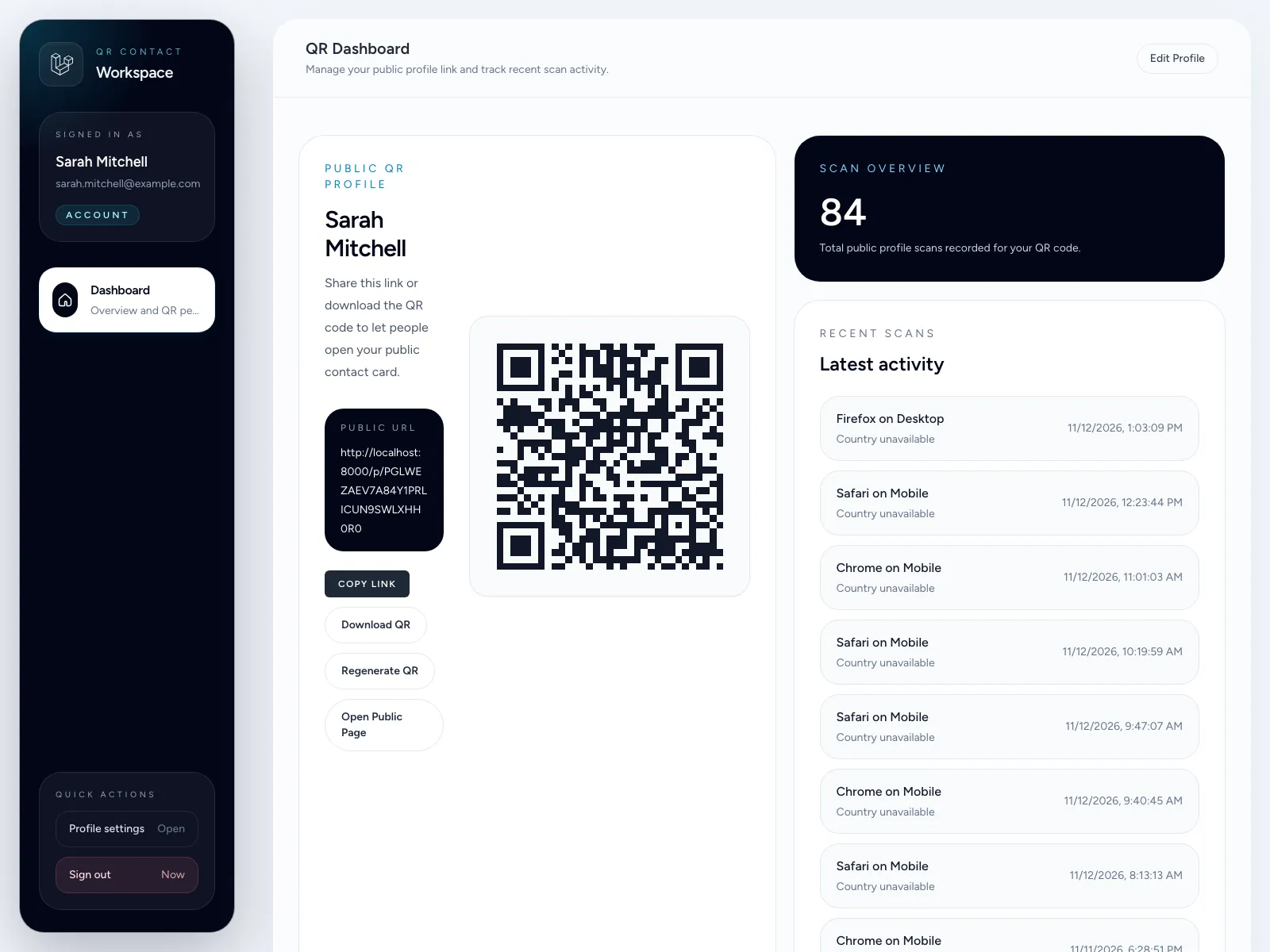
QR Contact app with a customer's QR code, scan count and recent scans, beside a public contact card
0
real phone numbers shared on a call
59
automated feature tests
Encrypted
phone numbers in the database

The problem

When you print your phone number on a business card, a flyer or a sign, you give it to everyone, and you never learn whether anyone looked. We wanted a contact card that opens from a QR code, shows how often it’s scanned, and lets a visitor call without either side seeing the other’s real number.

What we built

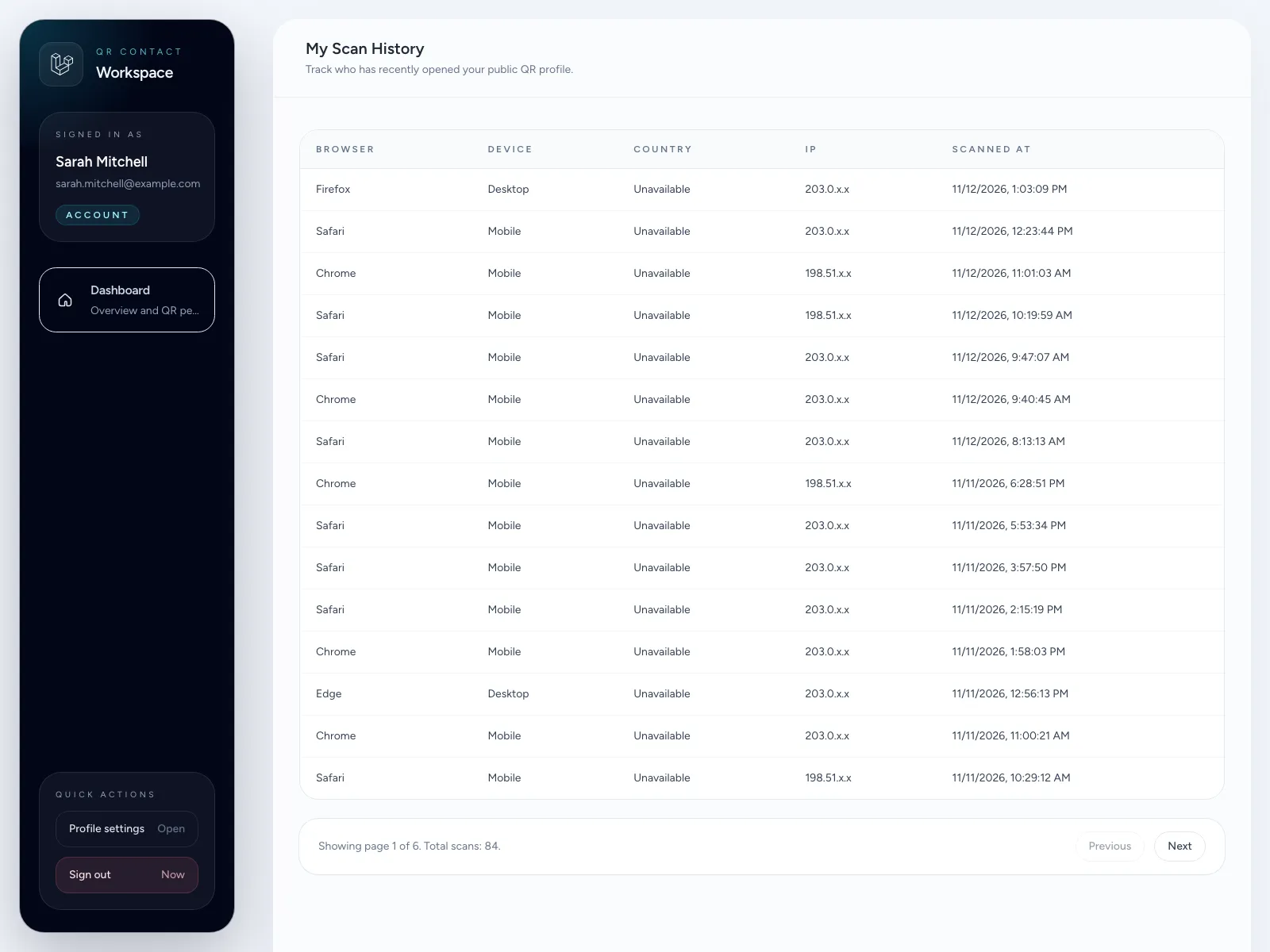
Each customer gets a public contact card with its own QR code. They edit the card, download the code, or regenerate it, which makes the old code stop working straight away. Every scan is recorded with its time, browser and device, so the customer can see which flyers and cards actually get used.

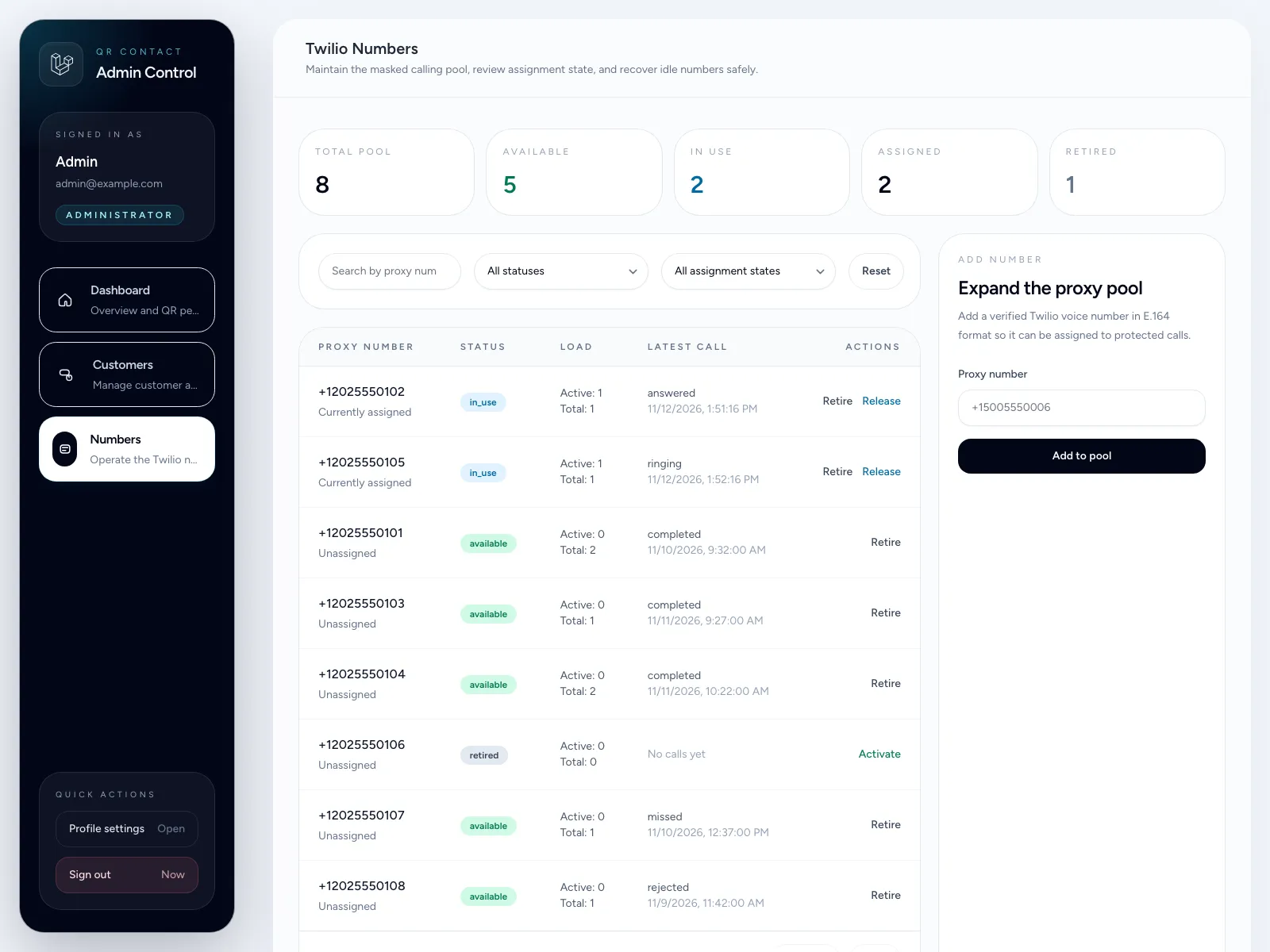
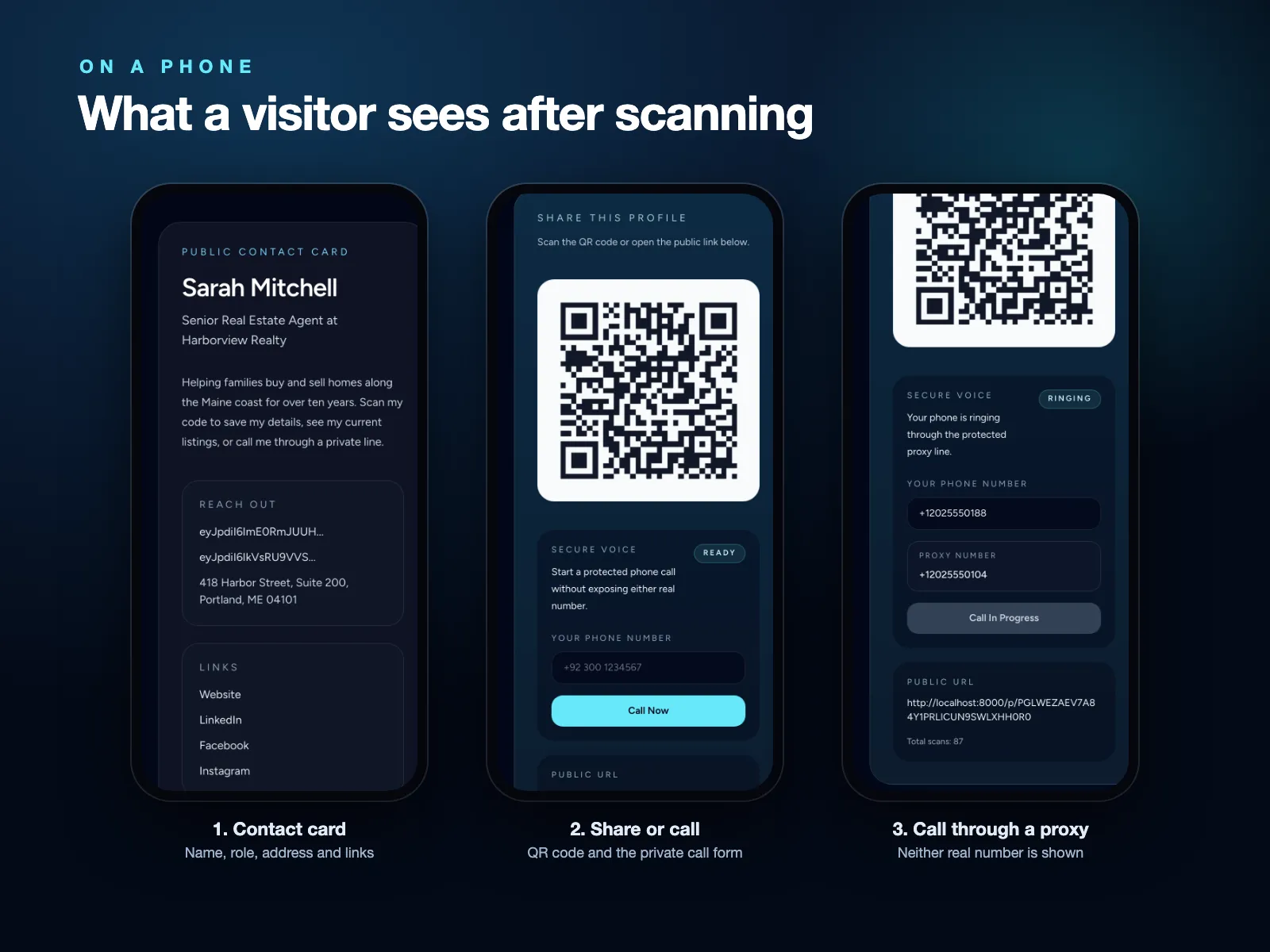
On the card, a visitor enters their number and the app connects both people through a proxy number taken from a shared pool. The number goes back into the pool when the call ends. Admins manage customers and the number pool from their own area.

  • Contact cards: public cards on unguessable links, with QR codes to download or regenerate.
  • Scan tracking: totals per code, the latest scans on the dashboard, and a full history with masked IP addresses.
  • Private calling: a proxy number per call through Twilio Voice, with live call status on the page.
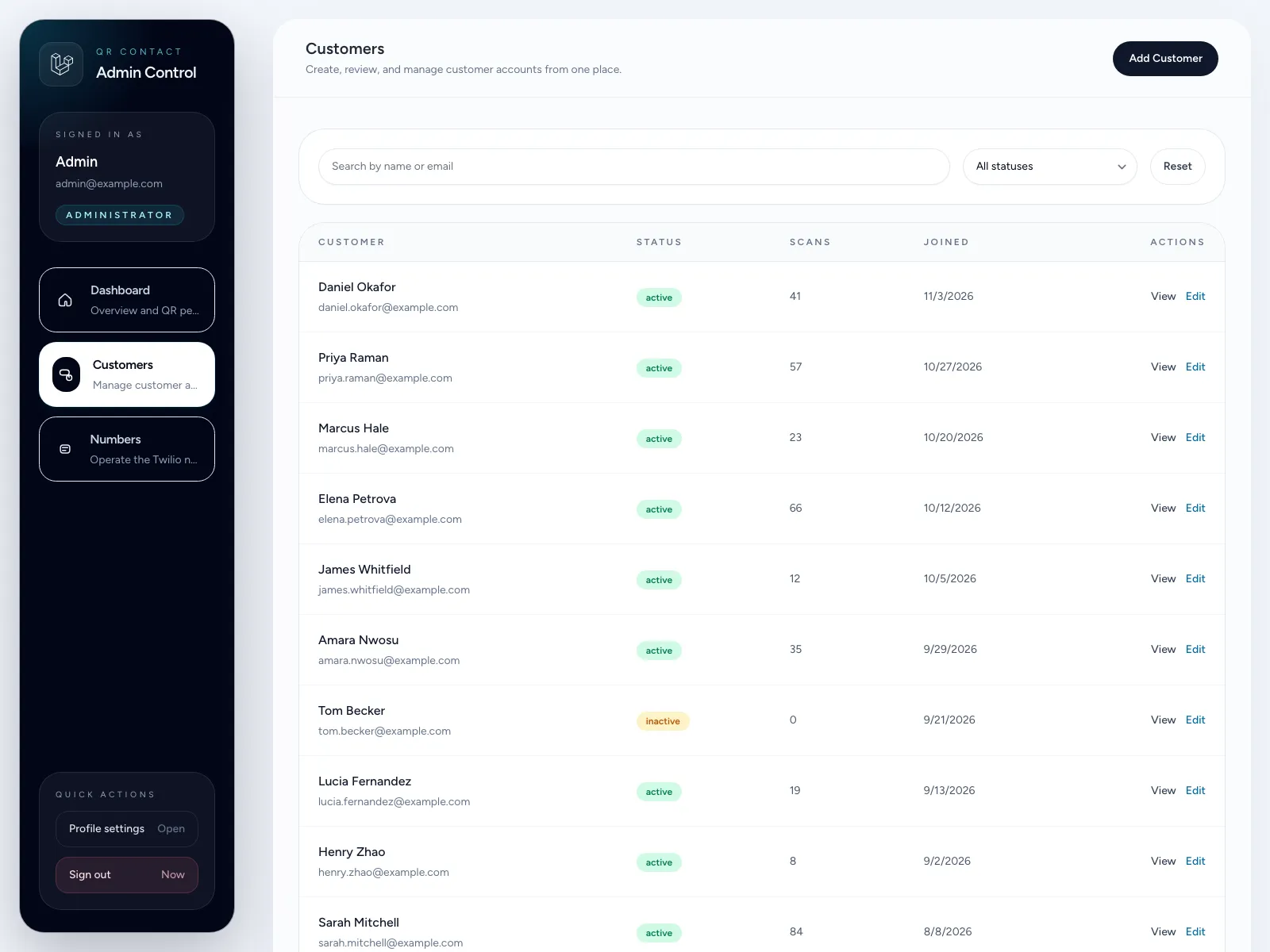
  • Admin area: customers, their profiles and scan history, and the proxy number pool.
  • API: a versioned REST API secured with Laravel Sanctum.

Security and quality

Phone numbers are encrypted in the database, access is controlled by roles and permissions, logins and public calls are rate limited, Twilio webhooks are verified, and account changes are logged. The code uses service and repository layers and has 59 automated feature tests.

What it shows we can do

Privacy-first products, telephony with Twilio, and clean admin tools around a simple customer experience.
Walkthrough

See it in action

Real screens from QR Contact, step by step. Select a screen to open it full size.

  1. Three phone screens showing a contact card, its QR code and a private call being connected
    01

    Scan the code, see the card, and call through a proxy number. Neither side sees the other's real number.

  2. Customer dashboard with their QR code, total scans and the latest scan activity
    02

    Each customer sees their QR code, how often it's scanned and the latest scans.

  3. Scan history table listing browser, device and time for each scan
    03

    Every scan is recorded with its time, browser and device.

  4. Admin screen for the pool of Twilio proxy numbers with their status and latest calls
    04

    Admins run the pool of proxy numbers that private calls go through.

  5. Admin customer list with each customer's status, scan count and join date
    05

    Admins create, edit and deactivate customers and see their scans.

Free website audit

Find out what your website is missing

Tell us your website and we’ll send a clear report: your scores, the problems costing you customers and how to fix each one.

Get my free audit

Free

Takes 30 seconds. Report delivered within one business day.

https://
What would you like help with?
  • 100% free
  • Within 1 business day
  • No obligation
  • Your data stays private