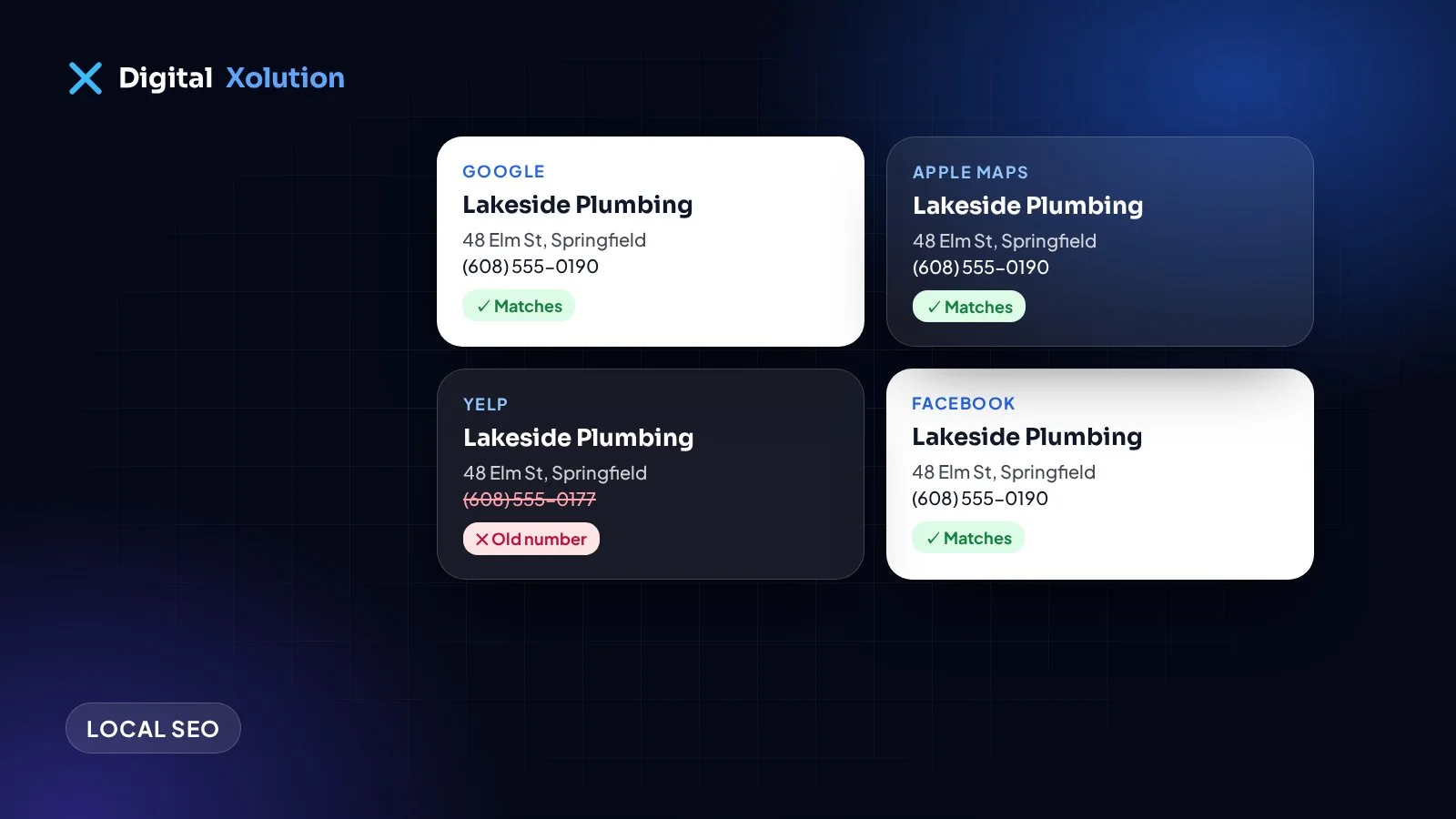
Your business details appear in more places than you might think: Google, Apple Maps, Bing, Yelp, Facebook, the Better Business Bureau, industry directories, your local chamber of commerce. Each of these mentions is called a citation.
When they all agree, customers find the right phone number and Google can be confident about who you are and where you work. When they don't, people call old numbers, drive to old addresses, and search engines get mixed signals.
What "NAP" means
NAP stands for Name, Address and Phone number, the three details that identify a local business. Many people also include your website address and opening hours.
"Consistent" means the same details everywhere, written the same way:
- Name: your real business name. Don't add keywords on some sites and not others.
- Address: the same format each time, for example "Suite 200" everywhere, not "#200" on some sites.
- Phone: one main number, ideally a local one, used everywhere.
Small differences like "St." and "Street" are usually fine. What causes real problems are old addresses, old phone numbers, old business names and duplicate listings.
Why it still matters
Citations aren't the most important part of local SEO any more. Your Google Business Profile, reviews and website content usually matter more. But wrong details cause real damage:
- Lost customers. Someone calls a disconnected number from an old directory listing and moves on.
- Confused listings. Mismatched details can lead to duplicate listings, or wrong details showing up on maps.
- Less trust. Customers who see two different addresses wonder which is right, or whether you're still open.
How to check your citations
1. Write down your correct details. Agree on the exact name, address, phone number, website and hours, and keep them in one document.
2. Search for yourself. Search Google for your business name, your phone number and any old phone numbers or addresses. Old details often turn up on listings you'd forgotten.
3. Check the big platforms first. Google Business Profile, Apple Business Connect, Bing Places, Facebook and Yelp. These feed lots of other sites and apps.
4. Then your industry and local sites. Trade associations, review sites for your industry, your local chamber of commerce and any directories that send you customers.
5. Keep a simple spreadsheet. List each site, its login, what it shows and whether it's fixed.
How to fix them
- Claim the listing if you haven't already, then edit the details.
- Merge or remove duplicates using the platform's own tools.
- Update the important ones first. Ten accurate, important listings are worth more than a hundred obscure ones.
- Be careful with paid "submit to 300 directories" services. Many of those directories have no real visitors, and some listings disappear once you stop paying.
When you move or change your number
Moving or changing numbers is when citations go wrong most often. Update your Google Business Profile and website first, then the big platforms, then everything else on your spreadsheet. If you can, keep your old phone number forwarding to the new one for a while, so old listings still reach you.
Keep it tidy
Check your main listings every few months, and whenever you change hours, services or contact details. It takes an hour, and it stops small mistakes turning into lost calls.
For the bigger picture, read our guides to your Google Business Profile and to why a business isn't showing on Google Maps.
Want us to find and fix your listings? See our local SEO service, or get a free audit to see how your local presence compares with your competitors.