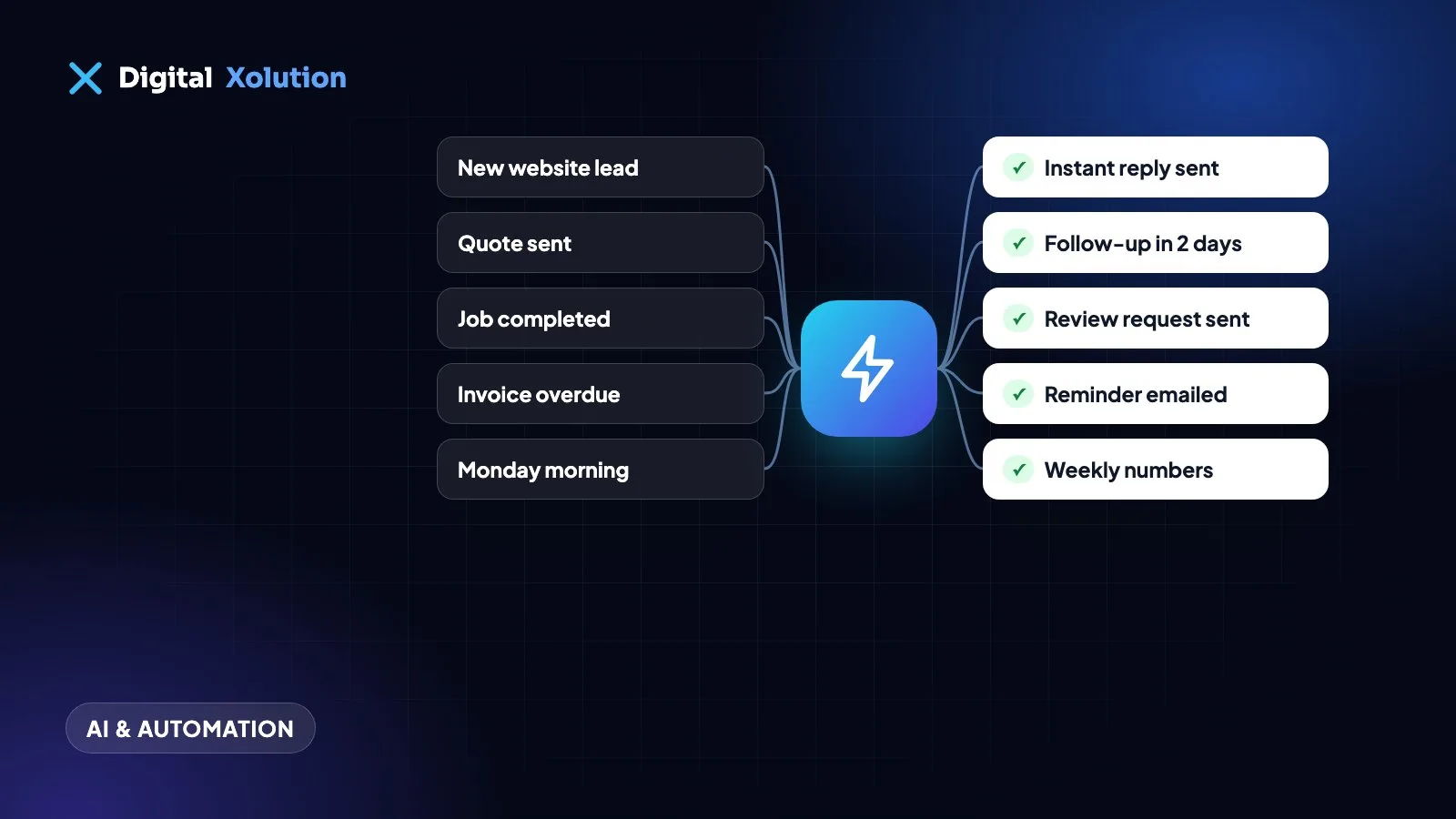
Most small business owners lose hours every week to the same small jobs: copying details from one app to another, sending reminders, chasing quotes. None of them is hard. Together they eat the time you'd rather spend on customers or a day off.
Automation means setting up your tools to do these jobs on their own. Here are the ten tasks most worth automating first, roughly in order of payback, plus what to keep in human hands.
How to pick what to automate
A task is a good candidate if it's:
- repetitive: it happens the same way every time
- frequent: daily or weekly, not twice a year
- rule-based: you could write the steps on an index card
- costly when forgotten: a missed follow-up loses a job
Start with one task, get it working, then add the next.
1. Replying to new leads instantly
When someone fills in your website form, send an automatic reply within a minute: thank them, say when you'll be in touch, and give them a way to book. At the same time, send the lead to your phone or team chat so nobody misses it. Speed matters: the first business to reply often wins the job.
2. Following up on quotes
Many quotes are never accepted simply because nobody followed up. Set a reminder sequence: a friendly check-in two days after the quote, another a week later, then a final note. Stop it automatically when the customer replies or accepts. Read more in how to automate customer follow-ups.
3. Appointment reminders
A text the day before and an hour before cuts no-shows and late cancellations. Most booking and field service tools have this built in; it's just switched off. Turn it on.
4. Asking for reviews
After a job is marked complete, send a short message with a direct link to your Google review page. Do it every time, not just when you remember. Our guide to getting more Google reviews has wording that works.
5. Getting leads into one place
If leads arrive by website form, Facebook, Google Business Profile messages and email, automatically copy them all into one list or CRM, with the source noted. You'll stop losing leads and finally see which channels work.
6. Invoices and payment reminders
Send invoices automatically when a job is complete, and polite reminders when they're overdue. Most accounting tools do this; connect them to your job system so nobody retypes anything.
7. Booking without the phone tag
Let customers pick a slot online from your real availability, instead of trading messages for two days. The booking can then trigger the confirmation, the reminders and a calendar entry for the right person.
8. Onboarding new customers
When a new customer signs up, automatically send the welcome email, the intake form, the contract to sign and the first appointment link. Everyone gets the same good experience, even on your busiest week.
9. Weekly numbers in your inbox
Every Monday, get a short email with last week's leads, jobs booked, revenue and reviews. You'll spot problems early without logging into five different apps.
10. Answering common questions
A website chatbot or AI phone assistant can answer "Are you open Saturday?" or "Do you serve my area?" any time, and pass anything complex to you. See AI chatbots for small business for when this makes sense.
Which tools to use
- Built-in features first. Your booking, CRM, accounting or field service software may already automate reminders, invoices and reviews. It's the cheapest option.
- Zapier or Make connect apps without code: "when a form is submitted, add a row to the sheet and text me". Simple, with a monthly fee that grows with usage.
- n8n does the same job and can be self-hosted, which suits higher volumes or more control over data.
- Custom code makes sense when the workflow is core to your business, the volume is high, or no tool fits.
What to keep human
- Pricing decisions, complaints and anything sensitive.
- The final check on messages that go to many customers at once.
- Relationships with your best customers.
Automation should handle the routine work so you have more time for these.
Common mistakes
- Automating a messy process. Fix the steps on paper first, then automate.
- No owner. Someone needs to notice when a connection breaks. Set up an alert for failures.
- Too many messages. Customers don't want five emails in a day. Keep sequences short and stop them when people reply.
- Forgetting privacy. Only send customer data to tools you trust, and only what's needed.
Where to start this week
Pick the task that annoys you most, write its steps down, and automate just that one. For most service businesses, instant lead replies or quote follow-ups pay back fastest.
Want us to set it up for you? See our workflow automation service, or get a free audit and we'll point out the tasks worth automating in your business.